
Why Teaching Tech to Teens Is the Best Brain Workout for Seniors
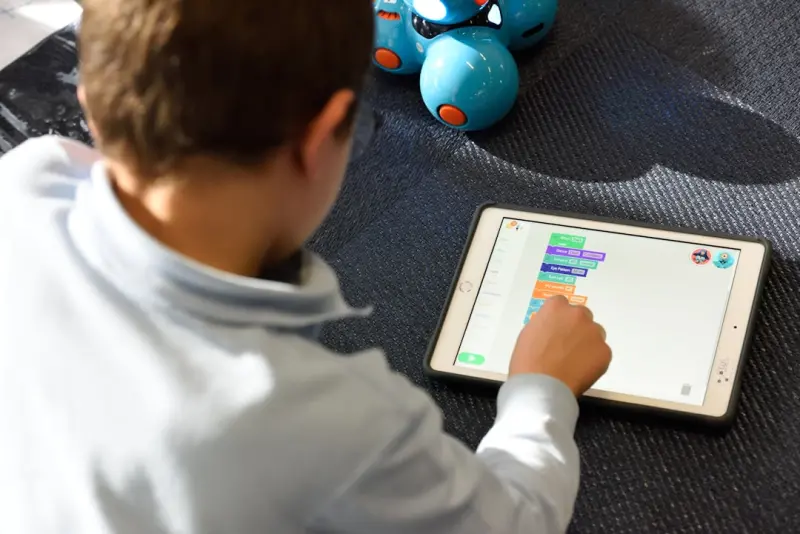
When I first picked up a tablet at my granddaughter’s birthday party, I thought I was merely learning how to scroll through pictures of kittens. Little did I know that the simple act of showing a teenager how to edit a photo would become a weekly ritual that reshaped my cognitive landscape, my social circle, and even my sense of purpose.
As a senior who has spent decades navigating the ebb and flow of health advice, I’ve learned that the most powerful interventions are often the ones that feel less like a prescription and more like a conversation. Intergenerational tech mentoring—the practice of seniors teaching younger generations to use modern devices—has emerged for me as a surprisingly potent health lever. It hits three core pillars of senior wellness: cognitive vitality, emotional well‑being, and social connection. In this post I’ll share the science behind the magic, practical steps to start your own mentorship circle, and a few pitfalls to avoid.
The Science: Brain Plasticity Knows No Age Limit
Neuroscience once painted a picture of the aging brain as a rusted engine—slower, less adaptable, and destined for inevitable decline. Modern research, however, tells a different story. The brain remains plastic, meaning it can form new connections and strengthen existing ones well into the eighth and ninth decades of life. What drives this plasticity? Challenge, novelty, and social engagement.
Teaching technology is a trifecta of those elements:
- Challenge: You’re learning new terminology (“router,” “cloud storage”), troubleshooting unfamiliar error messages, and adapting explanations to fit a learner’s pace.
- Novelty: Each app, device, or update presents fresh visual and auditory stimuli that force the brain to encode new patterns.
- Social Engagement: The act of guiding someone else creates a reciprocal bond, releasing oxytocin and dopamine—neurochemicals that protect against cognitive decline.
Studies on “cognitive training” often use computer‑based games or puzzles. While those tools are valuable, they lack the emotional richness of a real‑world teaching scenario. When you see the lightbulb moment in a teen’s eyes, your brain registers reward in a way that a solitary puzzle never could.
Emotional Benefits: Purpose, Pride, and Play
Beyond the hard‑wired neurobiology, there’s a softer, equally critical side to mentoring: the psychological uplift that comes from feeling needed.
Many seniors report a dip in mood after retirement, loss of a daily routine, or the quiet that follows the departure of grown children. By stepping into a mentorship role, you reclaim a sense of purpose that is both immediate and future‑oriented. You’re not just passing on skills; you’re shaping the digital fluency of a new generation.
Research on “generativity”—the desire to contribute to the next generation—links it to lower rates of depression and higher life satisfaction. In my own experience, the gratitude from my mentees feels like a warm, recurring hug that reverberates throughout my week.
Social Connection: Building a Community That Grows With You
Loneliness is a silent epidemic among seniors, and it’s a risk factor for everything from heart disease to dementia. Traditional solutions often focus on senior‑specific groups or activities. Intergenerational tech mentoring flips that script by weaving seniors into the fabric of broader community life.
When you host a “Tech Tuesday” at the local library, you’re not just sharing knowledge—you’re creating a shared space where ideas bounce across age lines. Younger participants bring fresh cultural references, while seniors contribute life experience. This cross‑pollination cultivates a sense of belonging that is both inclusive and dynamic.
Getting Started: A Step‑by‑Step Playbook
Below is a practical roadmap to launch your own tech‑teaching circle. Feel free to adapt it to your local context, whether you’re in a senior center, a church hall, or the comfort of your living room.
1. Identify Your Niche
Ask yourself what you enjoy teaching most. Is it photo editing, video calling, online banking, or perhaps navigating streaming services? Your enthusiasm will be contagious.
2. Find a Partner Organization
Reach out to schools, youth clubs, or community nonprofits. Many teen volunteers are eager for service hours, and they’ll appreciate the chance to learn from a senior perspective.
3. Set a Regular Schedule
Consistency is key. A weekly 60‑minute session works well for most people. Choose a time that aligns with both seniors’ and teens’ calendars—often early evenings on weekdays or Saturday mornings.
4. Prepare Simple, Modular Lesson Plans
Break each topic into bite‑size chunks. For example, a session on video calls could be split into: (a) installing the app, (b) creating an account, (c) adjusting privacy settings, and (d) best practices for etiquette.
5. Create a Comfortable Learning Environment
Ensure good lighting, minimal background noise, and seating that accommodates any mobility needs. A quiet, well‑lit space reduces cognitive load and allows both mentor and mentee to focus.
6. Leverage Existing Resources
There are free online guides, tutorial videos, and printable cheat sheets. Curate a small library of these resources that participants can reference later. You’ll be surprised how often a quick visual cue can solve a lingering question.
7. Incorporate digital minimalism Principles
While you’re teaching tech, it’s a perfect moment to discuss healthy digital habits. Encourage mentees (and yourself) to set boundaries—like turning off notifications during meals—to prevent overwhelm. This aligns the mentorship with broader longevity strategies.
8. Use micro‑rituals to Reinforce Learning
After each session, suggest a tiny habit: “Open the photo app and edit one picture before bedtime.” These micro‑rituals turn occasional exposure into lasting competence.
9. Gather Feedback and Celebrate Wins
End each session with a quick check‑in. What worked? What was confusing? Celebrate milestones—like a teen successfully sending their first video call to a grandparent.
10. Scale Thoughtfully
If demand grows, consider training other seniors as co‑mentors. A small “train‑the‑trainer” cohort can expand reach without sacrificing intimacy.
Stories From the Field: Real‑World Wins
Below are three anecdotes that illustrate the ripple effects of intergenerational tech mentoring.
- Maria, 78, & Jake, 16: Maria taught Jake how to set up a simple budgeting spreadsheet. Jake later used the same skills to help his mother track household expenses, reducing family stress.
- Leon, 71, & Maya, 14: Leon introduced Maya to classic jazz on streaming platforms. Maya responded by creating a shared playlist, sparking weekly listening parties that included neighbors of all ages.
- Elaine, 82, & Sam, 17: Elaine guided Sam through video‑calling his cousins overseas. In turn, Sam taught Elaine how to use voice‑activated assistants, giving her newfound independence to control lights and temperature.
Each story underscores a core truth: technology is a bridge, not a barrier, when the right people hold the hands that cross it.
Addressing Common Concerns
“I’m not tech‑savvy enough.” You don’t need to be an expert. The goal is to share what you know, ask questions when you don’t, and model a growth mindset. Your willingness to learn is the most valuable lesson for your mentee.
“I worry about safety and privacy.” Incorporate a brief segment on digital safety—password hygiene, recognizing phishing, and controlling privacy settings. This not only protects participants but also reinforces the importance of critical thinking.
“Will I feel embarrassed if I can’t solve a problem quickly?” Absolutely not. Embrace mistakes as learning moments. When a teen sees a senior calmly troubleshooting, they internalize resilience—a skill that transcends any specific device.
Measuring Impact: Simple Metrics That Matter
Tracking progress doesn’t have to be scientific. A few low‑effort metrics can provide insight and motivation:
- Attendance Rate: Consistent participation signals engagement.
- Skill Checklist: Mark off each competency (e.g., “Can send a photo via messaging”).
- Self‑Report Mood Scale: A quick 1‑5 rating before and after sessions can reveal emotional uplift.
- Community Feedback: Collect short testimonials from both seniors and teens to capture qualitative impact.
Over time, you’ll notice trends—perhaps a rise in confidence, an increase in cross‑generational friendships, or even a measurable reduction in self‑reported loneliness.
Beyond the Sessions: Embedding Tech Mentoring Into Daily Life
While structured sessions are essential, the true power lies in integrating tech mentorship into everyday interactions. Consider these everyday touchpoints:
- Family Gatherings: Offer to set up a group video call for distant relatives.
- Community Boards: Post a “Tech Help” sign at your local coffee shop.
- Digital Bulletin: Create a short newsletter with “Tip of the Week” for both seniors and teens.
By weaving mentorship into the fabric of daily life, you turn a weekly activity into a sustained lifestyle habit—a habit that continually reinforces the health benefits we’ve explored.
Conclusion: A Simple Act with Monumental Returns
When I first held that tablet, I expected a brief glimpse into my granddaughter’s digital world. Instead, I discovered a doorway to sharper cognition, brighter mood, and a richer community. Intergenerational tech mentoring is a low‑cost, high‑reward strategy that aligns perfectly with the broader goals of senior health: staying mentally agile, emotionally fulfilled, and socially connected.
If you’re a senior wondering how to keep your mind active, or a caregiver seeking meaningful engagement for an older loved one, I invite you to try this approach. Gather a few curious teens, pick a simple tech topic, and start the conversation. You might be surprised at how much you both learn—and how deeply you both feel alive.

Tammy French is a Montessori Teaching Assistant and freelance writer passionate about education, creativity, and inspiring lifelong learning through engaging content.
Related Posts

Forest Bathing for Seniors: Nature’s Gentle Prescription for Longevity
Forest bathing offers seniors a natural, low‑impact way to improve cardiovascular health, boost co... Read More

The Digital Lifeline: How Tech‑Savvy Communities Are Redefining Senior Wellness
Digital neighborhoods are transforming senior health by combining live‑link communities, micro‑m... Read More
The Importance of Mental Health in Seniors: A Comprehensive Approach
Mental health is crucial for seniors' overall wellbeing. Learn about the challenges faced by seniors... Read More
Top Posts

Light as a Lever: Redesigning Your Remote Workspace for Natural Rhythm
Learn how to harness natural and artificial light to align your circadian rhythm, improve sleep quality, and enhance daytime performance—all with a step‑byâ...Read More

Designing Spaces that Boost Brain Power
A strategic workspace shapes cognition: learn to harness sound, lighting, color, aroma, posture, and nutrition to create an environment that fuels focus, creati...Read More

The Unspoken Truth About Men's Health: A Holistic Approach to Wellness
Men's health is a complex issue that requires a holistic approach. Learn why prioritizing mental health, nutrition, exercise, and stress management is essential...Read More

Finding Your Rhythm: How Playful Movement Can Rewrite Your Personal Narrative
Learn to view exercise as a narrative device, turning workouts into playful, story‑driven chapters that enhance motivation, recovery, and personal growth....Read More
0 Comments
Post Comment
You will need to Login or Register to comment on this post!