When the Home Office Becomes a Sleep Lab
When I first swapped my commute for a spare bedroom desk, I thought the biggest adjustment would be learning to mute the background noise of a dishwasher during Zoom calls. Little did I know the real shift would happen under my pillow. Living with sleep apnea in a remote‑work world isn’t just about a CPAP machine; it’s about re‑engineering daily routines, tech habits, and even office politics to protect the nights that fuel our days.
Why Remote Work Uncovers Hidden Apnea Challenges
Before the pandemic, many of us measured health by the number of steps taken from the office lobby to the conference room. Now the line between “work” and “home” is blurry, and the sleep‑wake cycle becomes a critical performance metric. The flexibility that remote work promises often translates into irregular sleep windows, late‑night screen time, and a tendency to “power through” fatigue instead of seeking professional help.
For someone with sleep apnea, these lifestyle shifts can exacerbate airway collapses during REM sleep, leading to louder snoring, more frequent micro‑arousals, and a cascade of daytime consequences—from reduced concentration to heightened stress hormones. The problem is amplified when the home environment lacks the structured cues that an office provides, such as scheduled breaks or a clear end‑of‑day signal.
Data‑Driven Self‑Tracking: Turning Your Bedroom into a Mini Lab
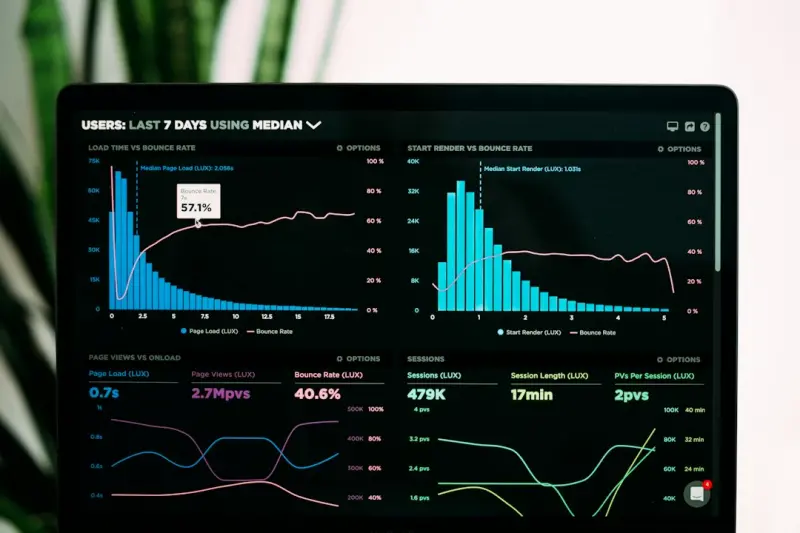
One of the most empowering developments for remote workers with sleep apnea is the explosion of consumer‑grade sleep trackers. Devices that measure heart rate variability, oxygen saturation, and even positional data can feed into a personal health dashboard. By reviewing nightly trends, you can spot patterns—like a spike in apnea events when you fall asleep with your phone beside your head—without needing a sleep clinic appointment every few months.
Here’s a quick starter kit for building your own sleep‑apnea monitoring system:
- Wearable sensor: Choose a device that records SpO₂ and heart rate. Look for FDA‑cleared models if you need clinical accuracy.
- Smartphone app: Sync the data to an app that offers nightly summaries and trend graphs. Many apps let you annotate factors like caffeine intake or late‑night workouts.
- Cloud‑based log: Export the data to a spreadsheet or a health platform (Apple Health, Google Fit) so you can correlate sleep metrics with work performance indicators like project completion time or error rates.
When the numbers start showing a consistent drop in oxygen levels after a certain hour, you have objective evidence to discuss with a sleep specialist. And that evidence can be the catalyst for getting insurance to cover an upgraded CPAP device or a custom‑fit mask.
Optimizing Your Home Office for Better Sleep
It may sound counterintuitive, but the way you set up your work zone can directly influence the quality of your sleep. Below are three practical tweaks that have helped me and many of my remote colleagues:
- Blue‑light hygiene: Install a warm‑tone screen filter on all monitors after 7 pm. Blue light suppresses melatonin, making it harder to fall asleep—especially problematic for apnea patients who already struggle to stay in deeper sleep stages.
- Ergonomic consistency: Use a standing desk or an adjustable chair that encourages good posture throughout the day. Poor posture can increase neck tension, which in turn can aggravate airway obstruction at night.
- Dedicated “wind‑down” zone: Separate your work equipment from your sleep environment. Even a visual barrier—a folding screen or a bookshelf—helps signal to your brain that it’s time to shift gears.
Communicating Your Needs to Your Team
Remote work has removed the physical cue of “leaving the office,” but it also offers a chance to be transparent about health needs. Here’s how to approach the conversation without feeling vulnerable:
- Normalize the discussion: Frame sleep apnea as a chronic condition that you’re actively managing, similar to how one might discuss vision correction or a dietary restriction.
- Offer solutions: If you need a short break for a CPAP adjustment or a quick nap to reset after a severe apneic episode, propose a specific time window and reassure the team that productivity won’t suffer.
- Leverage technology: Share a status indicator (e.g., “Do Not Disturb – CPAP Check”) on your messaging platform so colleagues know why you might be briefly offline.
When you set clear expectations, you not only protect your health but also model a culture where well‑being is part of the performance conversation.
Integrating Nutrition and Breathing Practices
While tech and environment matter, the body’s internal chemistry also plays a pivotal role in sleep apnea severity. Certain foods can reduce inflammation in the airway, and intentional breathing exercises can improve diaphragmatic strength.
For a deeper dive into how daily food choices can boost brain health—and indirectly support better breathing—check out this article on everyday foods that power cognitive resilience. A diet rich in omega‑3 fatty acids, antioxidants, and lean protein can help keep airway tissues supple.
Pair that with a simple breath‑hold routine before bedtime: inhale through the nose for four seconds, hold for seven, exhale through the mouth for eight. Doing this for just five minutes can enhance lung capacity and promote a more relaxed state, reducing the likelihood of abrupt awakenings caused by apnea events.
Traveling with CPAP: The Remote Worker’s Guide
Remote roles often come with the perk of flexible travel—whether it’s a weekend retreat or a week‑long conference in another city. Unfortunately, packing a CPAP machine can feel like an extra logistical nightmare.
Here are my top tips for hassle‑free CPAP travel:
- Invest in a travel‑size unit: Many manufacturers offer lightweight models that fit in a carry‑on bag.
- Check airline policies early: CPAP machines are typically considered medical devices and can be carried on without extra fees, but it’s best to confirm.
- Bring a universal power adapter: Voltage differences can damage your device, so a good adapter is essential.
- Use a portable humidifier: Hotel air can be dry, and a built‑in humidifier helps prevent nasal irritation.
Having a reliable travel setup means you won’t sacrifice sleep quality when you’re away from your home office—a crucial factor for maintaining performance on the road.
The Business Case: How Managing Sleep Apnea Boosts Bottom‑Line Results
From a corporate perspective, untreated sleep apnea translates into measurable losses: higher absenteeism, lower focus, and increased healthcare costs. A study published by the American Academy of Sleep Medicine found that employees with untreated apnea miss an average of 1.5 more days per year than their peers.
When you present these figures to leadership, you can position a sleep‑apnea support program as a strategic investment. Offer to pilot a wellness initiative that includes:
- Access to home sleep testing kits.
- Subsidized CPAP equipment or insurance coverage enhancements.
- Monthly webinars on sleep hygiene and stress management.
Such programs not only improve individual health outcomes but also foster a culture where employees feel valued and supported—key drivers of retention and engagement.
Looking Ahead: The Role of AI and Telehealth
Artificial intelligence is beginning to reshape how we diagnose and treat sleep apnea. Algorithms can analyze raw sensor data from wearables to flag high‑risk nights, prompting an automatic tele‑consultation with a sleep specialist. This reduces the need for in‑person sleep studies, which can be costly and time‑consuming.
While we’re still early in the adoption curve, I’m optimistic that AI‑driven platforms will become a staple in remote work health toolkits. Imagine a dashboard that not only tracks your sleep metrics but also suggests optimal work‑day start times based on your nightly oxygen saturation trends. That level of personalization could be a game‑changer for productivity.
Wrapping Up: Your Action Plan
If you’ve read this far, you’re already taking the first step toward reclaiming your nights. Here’s a concise checklist to turn insight into action:
- Set a consistent bedtime—even on weekends.
- Invest in a reliable CPAP device and learn its maintenance routine.
- Start tracking sleep metrics with a wearable or smart pillow.
- Adjust your home office to reduce blue‑light exposure and improve posture.
- Communicate openly with your team about any needed accommodations.
- Incorporate breathing and nutrition strategies to support airway health.
- Plan ahead for travel with a compact CPAP kit.
- Advocate for workplace wellness initiatives that address sleep apnea.
By weaving these habits into your remote‑work rhythm, you’ll find that the line between “working late” and “recovering from a night of apnea” becomes clearer—and your days become more focused, creative, and energized.
Further Reading
If you want a broader view of how breathing practices can enhance overall vitality, take a look at the hidden power of breathwork and outdoor time. It offers complementary strategies that pair well with the apnea‑specific tactics discussed here.

Nikki McDonald is a freelancer based in Waterloo. She brings her skills and expertise to various projects, balancing her professional work with a personal life that includes her husband, Stewart.
Related Posts

The Quiet Power Shift: Turning Sleep Apnea Into a Strategic Advantage
Sleep apnea silently sabotages high‑performers, but by treating it as a systemic issue, leveraging... Read More

When the Night Breathes: Harnessing Soundscapes and Biofeedback for Sleep Apnea Relief
Explore a fresh approach to sleep apnea that blends calming soundscapes, real‑time biofeedback, an... Read More

Sleep Apnea on the Road: Managing the Hidden Health Hazard While You Travel
Discover practical strategies for managing sleep apnea while traveling, from portable CPAP devices a... Read More
Top Posts
When Nighttime Frights Become Data Points: Turning Sleep Terrors into a Personal Insight Engine
Learn to capture sleep terror episodes with wearables, decode their patterns, and turn nighttime fear into a powerful feedback loop for nutrition, environment, ...Read More

From Flare to Flow: Data‑Driven Strategies for Autoimmune Wellness
The post shows how turning daily health metrics into a live dashboard, using stress‑tracking wearables and ambient‑light adjustments, can help people with a...Read More

When Food Becomes a Friend: Building Food Literacy to Break the Cycle of Disordered Eating
Learn how mastering food literacy transforms the relationship with meals, replaces fear with knowledge, and offers a fresh, empowering route out of disordered e...Read More

Rebooting Your Body’s Hidden Filtration System: A New Take on Detox
Explore a fresh, holistic detox approach that goes beyond juice cleanses—leveraging cellular autophagy, skin‑based elimination, and EMF management to boost ...Read More
0 Comments
Post Comment
You will need to Login or Register to comment on this post!